![InstaKeyPantone&White.png]](https://knowledge.instakey.com/hs-fs/hubfs/InstaKeyPantone%26White.png?height=40&name=InstaKeyPantone%26White.png)
Once you've logged into SecurityRecords, you can follow the below instructions to learn more about a specific key in your possession
If you know the key Identifier -
In the Keys drop down, type in the specific Identifier of the key you are looking for then select "Find"
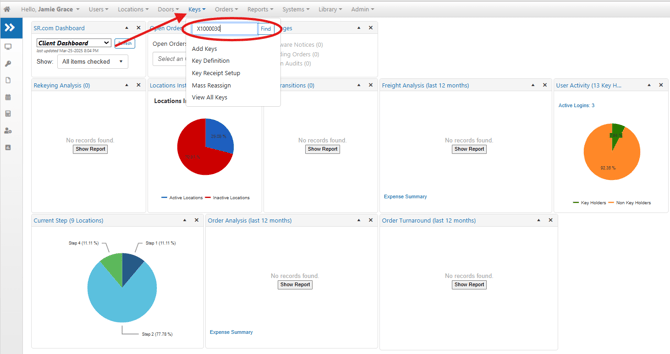
The results will be displayed, allowing you to click on the hyperlinked Identifier to access detailed information about the key's origin and its associated location.

If you do not know the Identifier -
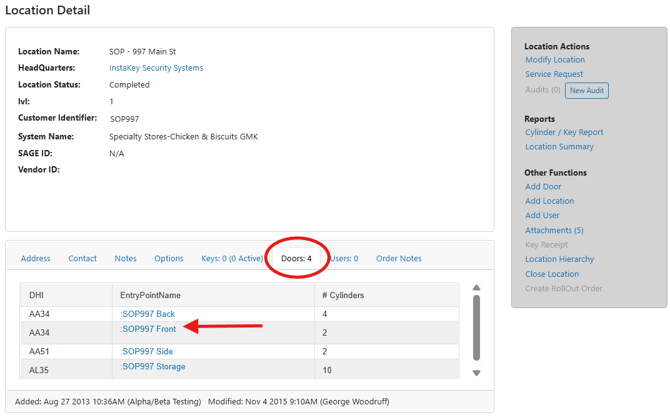
After navigating to the Location Details page for the site you are auditing, click on the "Doors" tab. Here, you can select any of the specific doors that have been identified at the location.
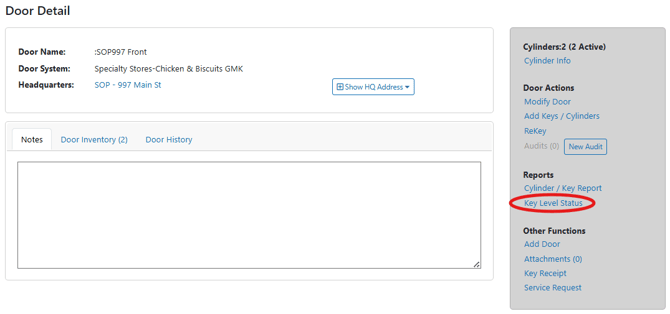
On the Door Details page, locate and click on the "Key Level Status" option on the right side.
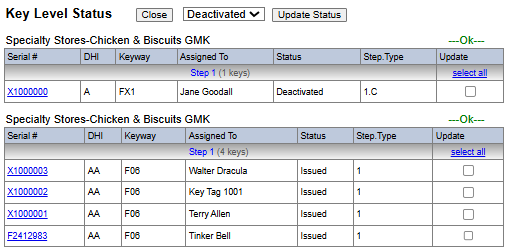
This action will display a list of all keys that have been issued for that specific location.